Getting started
New to Social9? Learn what the scheduler and Autopilot do, what you need before you start, the order to set things up in, and where things are.
Social9 posts to your social accounts for you. You write a post once (or let the AI write it), pick where it goes and when, and Social9 sends it out on time.
It can also plan a whole week of posts for you in your brand's voice. That part is called Autopilot. You decide how much it is allowed to do on its own.
What you need#
| Thing | Why | Required |
|---|---|---|
| A name for your brand | Posts are always written for one brand | Yes |
| Your website address | Social9 reads it and fills in your brand profile for you | No |
| Logins for your social accounts | You sign in once to give Social9 permission to post | Yes, to post |
| A card | Only for a paid plan. The Free plan needs no card | No |
You do not need a developer. There is nothing to install.
The order to do it in#
- Create your workspace and brand: tell Social9 about your business
- Connect your accounts: sign in to the networks you post on
- Get your first post out: write it, pick a time, schedule it
- Choose a plan: when you need more accounts, credits or people
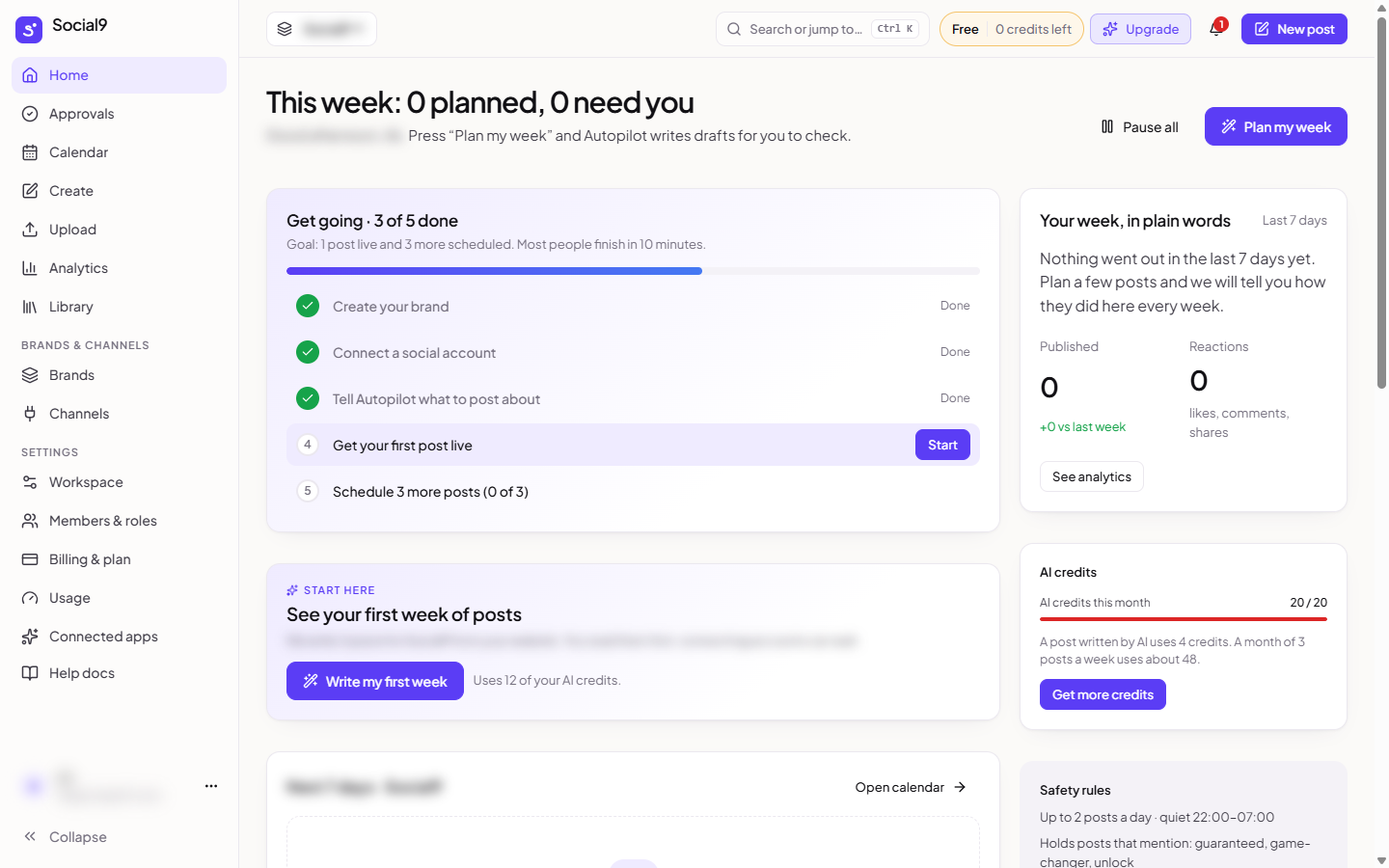
The Home page shows a First Steps checklist with the same steps. The goal is one post live and three more scheduled.
Where things are#
The menu on the left of the dashboard starts with a New button (write a post), then these parts, with your account menu at the bottom.
| Section | Pages | What they are for |
|---|---|---|
| Main pages | Home, Create (Ideas, Templates, Blog to posts, Create post, Upload), Publish, Community, Insights (Analytics, Competitors) | Your week, writing posts, the queue, drafts, approvals and sent posts (as a list or a calendar), comments, and results |
| Channels | Your connected accounts, Manage, and Connect more channels | Jump to one account's posts, comments or results, or connect another |
| Tools | Autopilot, Reposts, Blog to posts, Link in bio, Library, Brand & voice, Channels, All brands, Agency | Automation, your files and past posts, your brands, and agency features |
| Settings | Profile, Preferences, Notifications, Tags, Channel Groups, Saved Replies, Integrations and more | Your own settings and the workspace's features |
| Account menu (your name at the bottom) | Workspace, Members & roles, Billing & plan, Usage, Connected apps, Help docs, Contact support, Sign out | Timezone, your team, your plan, AI apps you have connected, these docs and help |
At the top of every page you will find:
- The brand switcher (Workspace › Brand), to work on one brand or All brands
- Search, to jump to any page. Press Ctrl + K (or Cmd + K on a Mac)
- Your plan, with the AI credits you have left this month. Click it to see what you have used
- The bell, for problems that need you, and Help, to chat with support
- New post, to write a post from any page
Next steps#
- Create your workspace and brand: the two questions Social9 asks, and what it fills in for you
- Creating posts: everything about writing, images and scheduling