What is social media autopilot? How AI posting works (and where to keep a human)
Social media autopilot uses AI to plan, draft, schedule and publish posts. Learn how the loop works, platform AI rules, and where a human must stay in charge.
Autopilot & AI
How to connect Claude or ChatGPT to your social media with an MCP server: what MCP is, setup steps, prompts that work, and how to stay in control.

To schedule social media posts from Claude or ChatGPT, you connect the AI app to a social media scheduler through an MCP server. You paste the scheduler's MCP address into the app's connector settings, sign in to the scheduler, and choose what the AI may do. After that you can type "Plan next week's LinkedIn and Instagram posts from this article" and the AI writes the drafts and puts them on your calendar, without copying and pasting between tabs.
This guide explains what MCP is in plain terms, how the setup works in Claude and ChatGPT, prompts that are worth trying, and the safety settings you should switch on before an AI touches your brand's accounts.
MCP stands for Model Context Protocol. Its official site describes it as "an open-source standard for connecting AI applications to external systems", and compares it to a USB-C port for AI apps: one standard plug that many tools can use (modelcontextprotocol.io). Claude, ChatGPT, VS Code and Cursor are among the apps that support it.
An MCP server is the part a software company runs so AI apps can use its product. A social media scheduler's MCP server might offer actions like "list my connected accounts", "create a draft", "schedule a post" or "show last week's results". When you ask the AI for something, it decides which of those actions to call, and the scheduler does the actual publishing.
That split matters. The AI writes and plans; the scheduler holds your account connections, enforces each network's limits, and posts through the network's official API.
If you already use Claude or ChatGPT to draft posts, you know the routine: write in the chat, copy, open the scheduler, paste, fix the formatting, pick a time, repeat for each network. An MCP connection removes the copying. Some things that become one request:
It is the same work you would do in the dashboard, done from a conversation. For people who already spend their day in an AI assistant, that is often faster.
Not every MCP server that mentions social media can actually post. Some only read public data for research. Before connecting one to your accounts, check:
| Question | Why it matters |
|---|---|
| Does it publish through official network APIs? | Browser automation or unofficial access can break, and can put accounts at risk |
| Does it use OAuth sign-in? | You should sign in on the scheduler's own page, not paste passwords or keys into a chat |
| Can you limit permissions? | Drafts only, schedule, publish now and approve should be separate switches |
| Can you limit brands or accounts? | An agency should be able to give the AI access to one client, not all of them |
| Is there a test mode? | You want to see what the AI does before it can post for real |
| Is there an activity log? | You should be able to see every action the AI took |
| Which networks does it cover? | Coverage varies a lot between tools |
Anthropic's own guidance is worth repeating here: custom connectors let Claude reach services Anthropic has not verified, so only connect servers from organisations you trust, and be careful with "Allow always" on tools that can take actions (Claude Help Center).
The exact menu names change from time to time, but the flow in Claude is:
In Claude Code, you add the same server from the terminal with claude mcp add, then authenticate with /mcp.
ChatGPT, Cursor and VS Code follow the same idea: add a remote MCP server by URL, then sign in. Social9 has step-by-step guides for each app.
Specific prompts get better results than vague ones. A few that are worth saving:
A good habit: ask for drafts first, read them in the chat or the dashboard, then ask the AI to schedule the ones you like.
An AI assistant that can publish is useful and also a real responsibility. These settings make it safe to try.
If the scheduler offers a practice mode, keep it on until you trust the setup. The AI goes through every step, but nothing reaches your followers.
Start with "see my calendar" and "create drafts". Add "schedule" once you are comfortable. Leave "publish right away" and "approve posts" off unless you have a clear reason to turn them on.
Route AI-scheduled posts through approvals, so a person reads each one before it goes live. This matters most for anything involving prices, claims, legal topics, health, or news events.
Look at what the AI actually did each week, especially early on. If it did something you did not expect, tighten the permissions or rewrite your instructions.
Writing and image generation through an AI app usually uses the same credits as in the dashboard. Ask the AI to check usage if you are on a smaller plan.
Social9 runs an MCP server at https://app.social9.com/mcp that works with Claude (web, desktop, mobile and Claude Code), ChatGPT, Cursor, VS Code and other apps that support remote MCP servers. More on the Social9 MCP page.
Social9 publishes to Facebook Pages, Instagram, Threads, LinkedIn, X, TikTok, YouTube, Pinterest, Google Business Profile, Bluesky and Mastodon. Connecting AI apps is part of the Individual, Team, Agency and Enterprise plans; the Free plan lets you try the scheduler and Autopilot drafts first. See pricing for what each plan includes, and Permissions and practice mode for the details.
They solve slightly different problems. An MCP connection suits people who already work in Claude or ChatGPT and want to ask for things as they come up. A built-in autopilot, like Social9 Autopilot, suits people who want the week planned for them on a schedule, with drafts waiting for approval every Monday. Many teams use both: Autopilot keeps the calendar full, and the AI assistant handles one-off requests like "turn today's announcement into posts".
Not on its own. Claude needs a connector to a tool that holds your social accounts, such as a scheduler with an MCP server. Once connected, Claude can create drafts, schedule posts and, if you allow it, publish them.
It can be, if you choose a trusted provider, sign in with OAuth, limit permissions, start in a practice or test mode and keep an approval step. Avoid servers that ask you to paste passwords into a chat.
No. In Claude and ChatGPT you paste one URL into the connector settings and sign in. Coding tools like Claude Code use a one-line terminal command.
Yes, ChatGPT supports remote MCP servers, and Social9 has a guide for connecting it. The steps differ slightly from Claude's.
An API is how software talks to software. An MCP server wraps a product's actions in a standard format that AI apps understand, so the AI can find and use them without custom code.
Set up Social9, connect a network or two, and then add the MCP connector to the AI app you already use. Start free, then follow the Connect Claude guide when you are ready.
Social media autopilot uses AI to plan, draft, schedule and publish posts. Learn how the loop works, platform AI rules, and where a human must stay in charge.

Stop using AI as a typewriter. Learn to build agentic workflows that scale high-authority content and beat synthetic mediocrity in 2026.
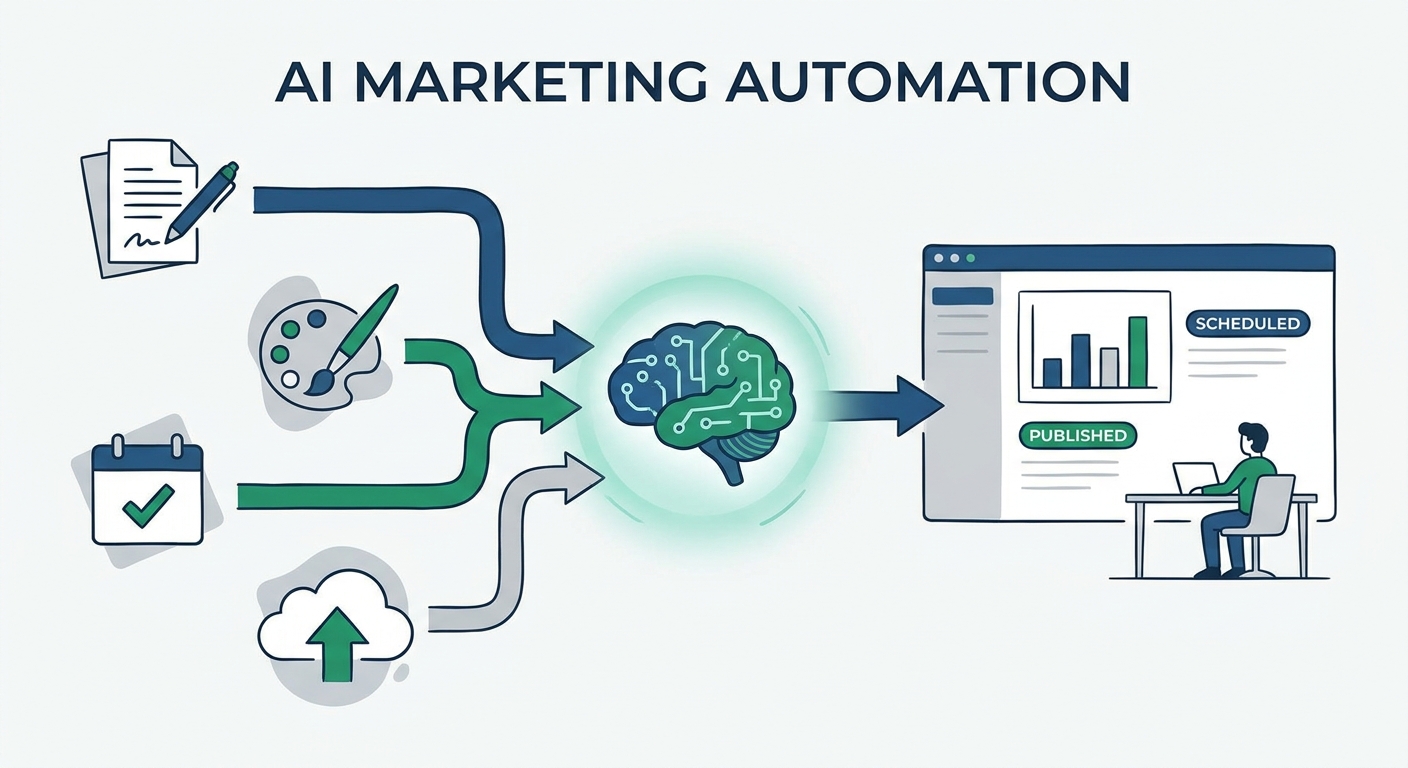
Stop manual content switching. Discover the 10 best AI social media post generators of 2026 to automate your marketing workflow and scale your content output.
Social9 schedules your posts on 11 networks, and Autopilot can draft them in your brand voice for you to approve. Start on the free plan.
We use strictly necessary cookies to run this site. With your permission, we also use analytics cookies to understand how the site is used. We never use advertising cookies. See our Cookie Policy.