What is social media autopilot? How AI posting works (and where to keep a human)
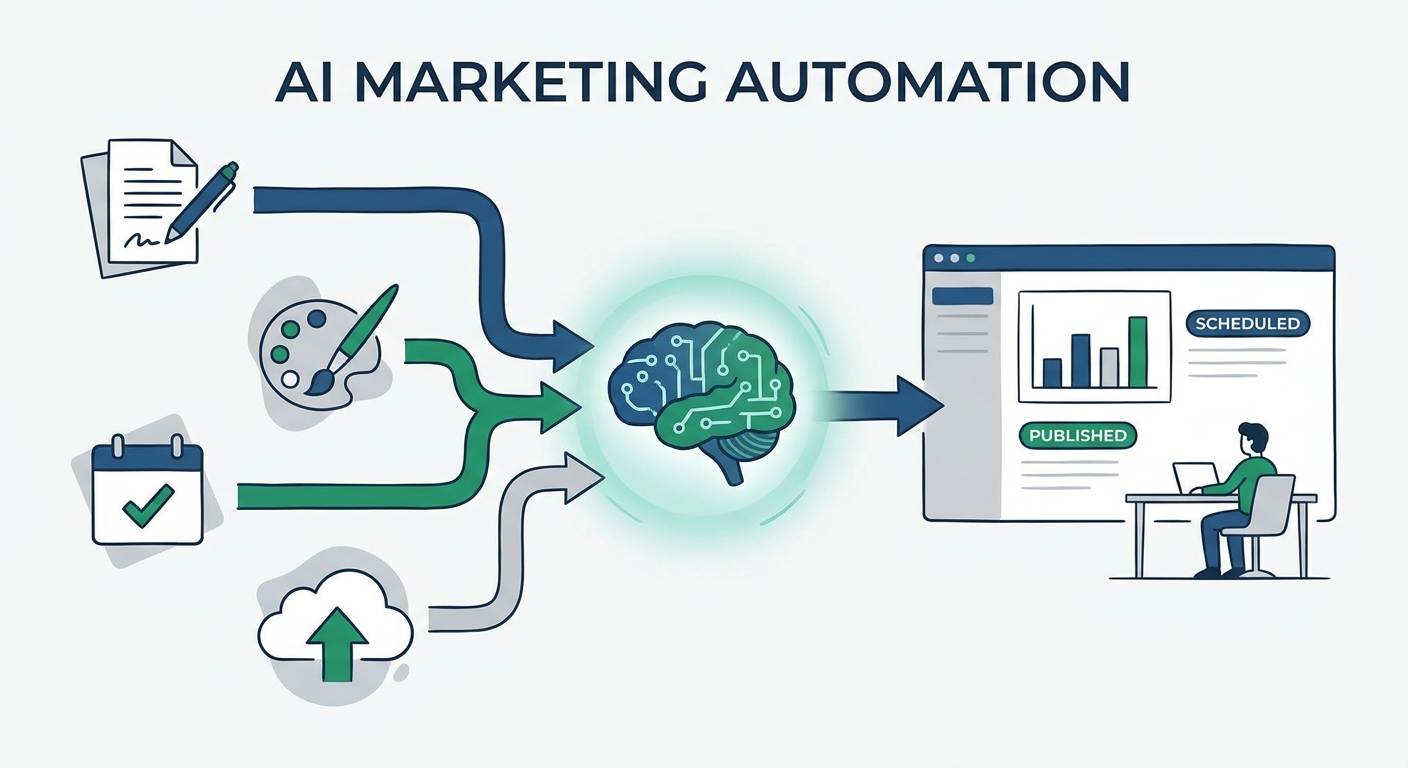
Social media autopilot uses AI to plan, draft, schedule and publish posts. Learn how the loop works, platform AI rules, and where a human must stay in charge.
Autopilot & AI
Learn how to calculate engagement rate, what actually moves it, and how to use an AI social media post generator to test more ideas without sounding generic. Social9 TeamProduct, content and engineering team at Social9Published Updated 7 min read

Engagement rate optimization is the practice of raising the percentage of people who interact with your posts (likes, comments, shares, saves, clicks) relative to how many saw them. An AI social media post generator helps because it lets you draft and test more hooks, formats and angles per idea than you could write by hand. The tool does not raise engagement on its own; a clear formula, a test plan and human editing do.
This guide covers how to calculate engagement rate, which levers actually move it, where AI helps and where it hurts, and a weekly workflow you can copy.
Engagement rate is engagements divided by an audience number, multiplied by 100. The catch is that there are several versions, and mixing them makes your reports meaningless.
| Formula | Calculation | Best for |
|---|---|---|
| By reach | Engagements / reach x 100 | Judging how compelling a post was to people who actually saw it |
| By impressions | Engagements / impressions x 100 | Paid posts and content that gets shown repeatedly to the same people |
| By followers | Engagements / followers x 100 | Comparing against competitors when you cannot see their reach |
| Per post average | Sum of post rates / number of posts | Tracking month-over-month trends |
Pick one formula per network and stick with it. Reach-based rate is usually the most honest measure of content quality, because follower counts include many people who never saw the post.
Also decide which engagements count. A save or share signals more intent than a like, and a thoughtful comment is worth more than an emoji. Many teams track a "weighted" view alongside the raw rate, for example reporting saves, shares and comments separately rather than folding them into one number.
Most major feeds now lean heavily on recommendations rather than only showing posts from accounts you follow. TikTok's For You feed, Instagram Reels, YouTube Shorts and Threads all surface content from accounts people do not follow. In that model, a post's early reception shapes how widely it travels, so follower count is a weaker predictor of reach than it used to be.
That makes engagement rate a useful proxy for "did this post earn attention?" It is not a business result by itself, though. A post can get high engagement and drive no sign-ups. Pair engagement rate with at least one downstream metric such as link clicks, profile visits or leads tagged with UTM parameters.
Before reaching for any tool, know the levers. Most gains come from a short list:
AI is good at the parts of optimization that are tedious for humans.
The single biggest advantage is volume of options. For one idea you can ask for five hooks, three lengths and two formats in under a minute. You then pick the strongest, or rotate them across the week to see which angle resonates.
A good generator rewrites the same message for each network's norms: shorter and punchier for X and Threads, more context for LinkedIn, caption plus hashtags for Instagram. Our AI social media post generator page shows what that looks like in practice.
Engagement often drops when posting becomes sporadic. AI drafting lowers the effort per post, which makes a steady schedule realistic for small teams.
When you note which hooks and formats did well, you can paste those notes into the next prompt ("our question-led hooks got the most comments last month; write five more in that style"). The model does not learn automatically, but you can steer it with your own results.
AI can also drag your rate down if you let it run unchecked.
The fix is a human-in-the-loop process: AI drafts, a person edits and approves. Training the tool on your voice helps a lot; see our guide to AI brand voice training.
Here is a simple loop that works for a solo marketer or a small team.
Run this for a month before drawing big conclusions. A handful of posts is not enough to prove a pattern.
Vague prompts produce vague posts. These templates give the model enough context to be useful:
For more caption techniques, see our social media copywriting tips.
Scaling output safely needs guardrails written down before you start:
Tools can enforce some of this for you. In Social9, for example, you set a brand voice and blocked words, the AI writes three versions of each post, and you choose whether posts stay as drafts, wait for your approval, or publish automatically on Full Autopilot. Social9's stats show engagements and engagement rate per post, but it does not predict engagement or run A/B tests for you, so the testing discipline above still applies.
There is no universal benchmark, because rates vary widely by network, industry, account size and formula. Smaller accounts often see higher rates than large ones. The most useful benchmark is your own baseline: calculate last quarter's average with one consistent formula, then aim to beat it. If you compare against competitors, use follower-based rate, since you cannot see their reach.
Not inherently. Networks rank posts on how people respond, and the main risk is that unedited AI text reads as generic, which people scroll past. Use AI for drafting and variation, then edit for specificity and voice. Label realistic AI-generated images or video where the network requires it, and avoid automated replies that break platform rules.
Start with hooks and replies, since both are fast to change. Rewrite your first lines to be specific and curious, end posts with a genuine question, and reply to every comment in the first hours. Then test formats: if you only post single images, try carousels or short video. Track one formula so you can tell whether changes worked.
Use reach when you can see it, because it measures how people who actually saw the post responded. Follower-based rate is mainly useful for comparing your account with others, since follower counts are public while reach is not. Whichever you choose, keep it consistent across reports so month-over-month comparisons are meaningful.
Treat predictions with caution. AI can suggest which hook seems stronger based on general patterns, but it cannot know how your specific audience will react this week. The reliable way to find out is to publish variations, measure them with the same formula, and keep notes. Over time those notes become a better guide than any prediction.
Social media autopilot uses AI to plan, draft, schedule and publish posts. Learn how the loop works, platform AI rules, and where a human must stay in charge.
Compare the best AI social media post generators by type, learn what to test before you buy, and use a workflow that keeps every post sounding like you.
Social9 now lets Claude, ChatGPT and other MCP apps plan, write and schedule social posts, with test mode, fact checks and approvals keeping people in control.
Social9 schedules your posts on 11 networks, and Autopilot can draft them in your brand voice for you to approve. Start on the free plan.