What is social media autopilot? How AI posting works (and where to keep a human)
Social media autopilot uses AI to plan, draft, schedule and publish posts. Learn how the loop works, platform AI rules, and where a human must stay in charge.
Autopilot & AI
What multimodal AI is, how it combines text, images, audio and video for social media content and analysis, and a practical workflow to use it responsibly. Social9 TeamProduct, content and engineering team at Social9Published Updated 5 min read
Multimodal AI is artificial intelligence that can understand and create several types of content, including text, images, audio and video, within one model. On social media, that lets you write captions that match a photo, generate visuals from a brief, turn a video into posts, and analyze comments alongside the content they respond to. The result is faster production of posts that hang together across formats, which makes engagement easier to earn.
This guide explains what multimodal AI is, where it helps on social media, a step-by-step workflow, and the ethical rules to follow.
Earlier AI tools usually handled one kind of data. A chatbot read and wrote text. An image classifier labeled photos. A speech model transcribed audio.
Multimodal models combine these. A single model can:
Most major AI assistants now accept images as well as text, and several can generate images, audio or video. Capabilities differ by product and change quickly, so check what your specific tool supports.
Social media is multimodal by nature. A single post can combine an image, a caption, on-screen text, audio and comments. Tools that only understand text miss most of what makes a post work.
| Task | Text-only AI | Multimodal AI |
|---|---|---|
| Caption writing | Writes from your description | Looks at the actual image or video |
| Alt text | Not possible without a description | Generates a draft from the image |
| Visual creation | Not possible | Generates images from a brief |
| Video repurposing | Needs a transcript | Works from the video or its audio |
| Performance analysis | Reads captions and comments | Relates visuals, captions and comments |
Upload an image or short clip and ask for captions in your brand voice. Because the model sees the visual, captions can reference what is actually there instead of generic descriptions. Ask for several versions and pick the best. Our guide to AI caption generators covers prompts and editing tips.
Image generation models can create post graphics, backgrounds, product mockups and illustrations from a written brief. Use them for concepts and supporting visuals. For product shots and real people, use real photography so you do not misrepresent what customers will get. See our guide to generative AI for visual content.
Multimodal AI can draft short-video scripts with shot suggestions, transcribe long videos, and pull out quotable moments for clips, carousels and text posts. This turns one recording into a week of content.
AI can draft alt text for images and captions for video, which helps people using screen readers or watching without sound. Always review the output, since models can misidentify details.
One idea often needs different shapes: a vertical video for TikTok and Reels, a square image for Instagram, a text-led post for LinkedIn, a pin for Pinterest. AI can draft each version, but check sizes against platform specs. Our social media image and video size guide lists current dimensions.
Multimodal AI can also help you understand performance.
Treat AI analysis as a way to form hypotheses quickly. Confirm patterns with your platform analytics before changing strategy.
Write down your audience, tone, topics, banned words and visual style. Feed this to every AI tool you use so outputs stay consistent.
Pick a strong source: a product photo set, a webinar recording, a blog post or a customer story.
Ask the AI for captions matched to each image, a short-video script, a carousel outline and alt text. Generate supporting visuals where you need them.
Check facts, product details, brand voice and visual accuracy. Look for warped hands, wrong text in images, and invented claims. Make sure realistic AI images do not misrepresent real people, places or products.
Apply platform AI labels for realistic synthetic media, and disclose AI assistance when viewers could otherwise be misled. Our guide to content authenticity and AI detection explains the current landscape.
Queue posts across platforms at times your audience is active. Social9 handles this step and the drafting before it: its AI writes posts in your brand voice, makes AI images for social posts with Google Gemini, and publishes to networks like Instagram, LinkedIn, TikTok and YouTube after you approve them.
Compare engagement by format and visual style. Keep what works, drop what does not, and update your brand profile with what you learn.
Multimodal tools are improving quickly in video generation, real-time voice and editing that responds to plain-language instructions. Expect more of the production work (resizing, cutting, captioning, variations) to be automated, with creators spending more time on ideas, community and judgment. Skills that will matter: writing clear creative briefs, reviewing AI output critically, and knowing each platform's rules.
Multimodal AI is artificial intelligence that can work with several kinds of input and output at once, such as text, images, audio and video. Instead of a text-only chatbot, a multimodal model can look at a photo and describe it, read a chart, listen to audio, or create an image from a written prompt. Many current AI assistants, including ChatGPT, Gemini and Claude, can process images as well as text.
Common uses include writing captions that match an image or video, generating post visuals, drafting short-video scripts, creating alt text, transcribing and captioning video, repurposing one asset into several formats, and analyzing how visuals and comment sentiment relate. It speeds up production, but outputs still need human review for accuracy and brand fit.
Rules vary by platform and change often. Meta, TikTok and YouTube all have policies that require or apply labels for realistic AI-generated or altered media, especially content showing real people or events. Check each platform's current policy before publishing, and disclose AI use whenever a reasonable viewer could be misled.
It replaces some tasks, not the role. AI handles drafts, variations, resizing, transcription and first-pass analysis well. People are still needed for strategy, brand judgment, community relationships, fact checking and deciding what not to post. Teams that use AI for volume and keep humans on judgment tend to get the best results.
Social media autopilot uses AI to plan, draft, schedule and publish posts. Learn how the loop works, platform AI rules, and where a human must stay in charge.
Automate social media content creation with AI step by step: feed it your own ideas, draft in your brand voice, repurpose, review, schedule and measure.
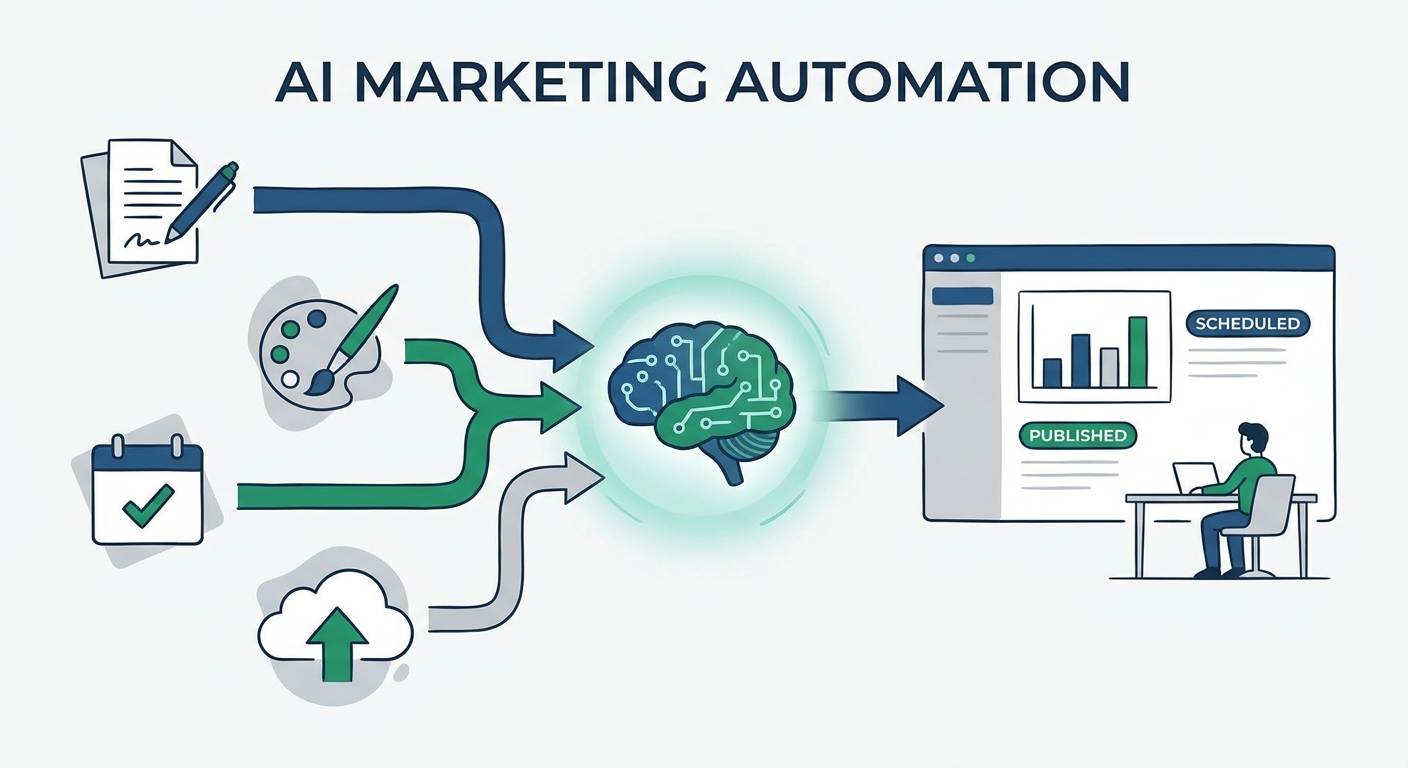
Compare the best AI social media post generators by type, learn what to test before you buy, and use a workflow that keeps every post sounding like you.
Social9 schedules your posts on 11 networks, and Autopilot can draft them in your brand voice for you to approve. Start on the free plan.