What is social media autopilot? How AI posting works (and where to keep a human)
Social media autopilot uses AI to plan, draft, schedule and publish posts. Learn how the loop works, platform AI rules, and where a human must stay in charge.
Autopilot & AI
Discover how AI-powered studio effects are replacing manual rotoscoping and editing drudgery with intelligent, content-aware tools for video and audio. David KimAI EngineerPublished 9 min read
If you’ve worked in post-production for more than five years, you know the specific brand of misery that comes with "fixing it in post."
You know the wrist-cramping agony of manual rotoscoping, clicking frame by frame by frame to separate a hairline from a busy background. You know the sinking feeling in your gut when you realize the best take of the day is ruined by a distant siren or a camera operator who missed focus by an inch.
For decades, fixing these issues wasn't editing. It was surgery. It was slow, expensive, and technically exhausting. You weren't a creative director; you were a janitor, cleaning up messes pixel by pixel.
That era is effectively over.
We aren't talking about the flashy generative AI that spits out weird images of six-fingered hands from a text prompt. We are talking about regenerative and refining AI—tools that live inside your NLE (Non-Linear Editor) right now. These neural networks automate the grunt work. They fix, polish, and enhance media you’ve already shot, shifting the editor's role from manual technician back to storyteller.
To understand why this tech is actually useful and not just marketing hype, you have to stop thinking of "effects" as filters.
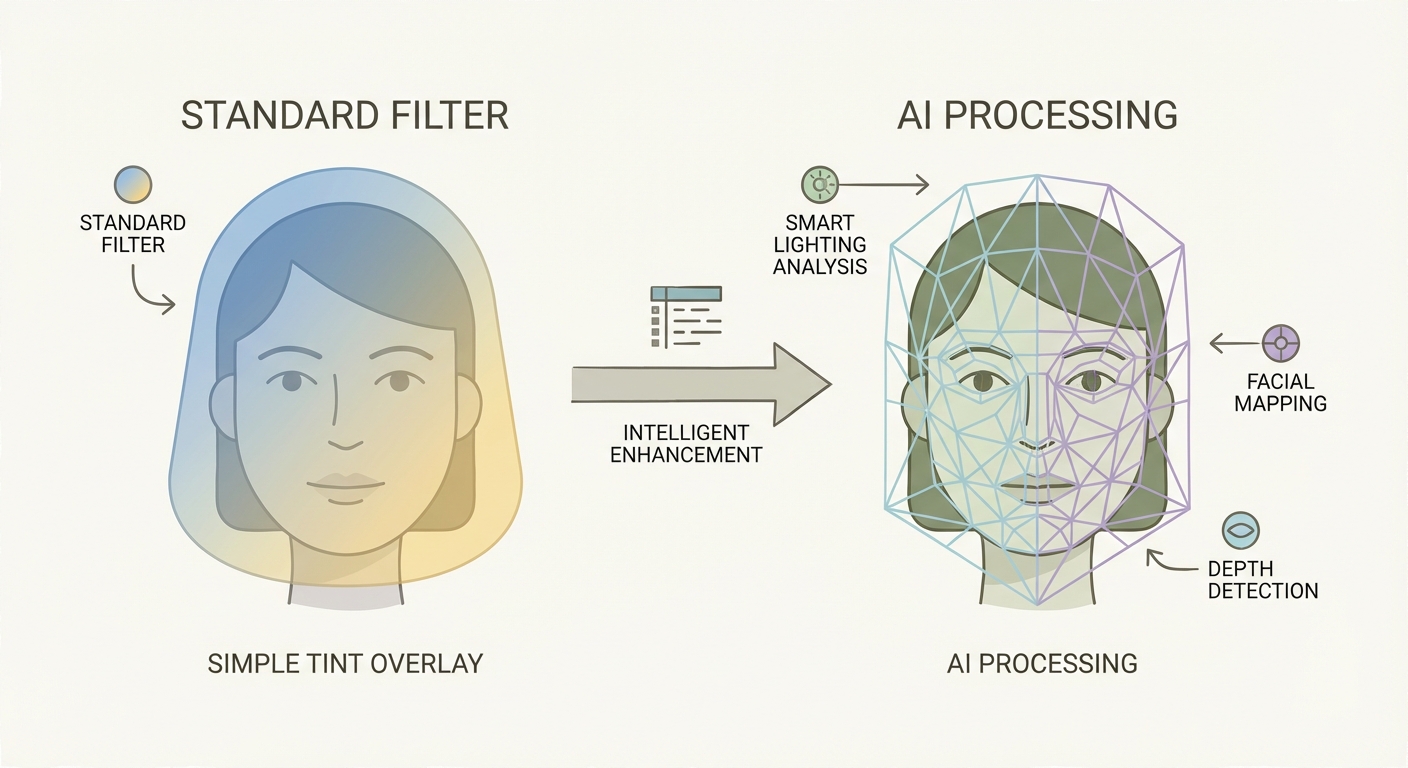
In the old days (read: three years ago), a video effect was a mathematical overlay. If you applied a "Warm Look" or a "Sharpener," the software was dumb. It took every pixel on the screen and added a value of red or increased contrast at the edges. It didn't know—or care—if it was coloring a human face, a cloud, or a Toyota Camry. It just crunched numbers.
AI Studio Effects are different because they "see."
These tools utilize neural networks—specifically Convolutional Neural Networks (CNNs) and Generative Adversarial Networks (GANs). They haven't just been programmed with math; they've been trained on millions of images and audio files.
When you ask a modern AI tool to "relight a face," it doesn't just brighten the pixels. It identifies the geometry of the human face. It distinguishes the bridge of the nose from the cheekbone. It calculates a virtual light source and generates new pixel data to simulate how light physically hits skin. It understands the content of your footage, not just the code.
This technology has migrated specifically from massive server farms at heavy-hitters like NVIDIA and Adobe Research directly to your laptop. What used to require a VFX house, a team of ten, and a $50,000 budget is now a toggle switch in DaVinci Resolve or Premiere Pro.
The visual side of post-production has always been a brutal negotiation between time and quality. You could have perfect masks, or you could meet your deadline. You couldn't have both. AI removes that compromise by automating the pixel-peeping tasks humans are historically bad at (or just hate doing).
For years, the green screen (chroma key) was the king of compositing. But let's be honest: green screens are a hassle. You need perfectly even lighting, significant distance between the subject and the wall to avoid "spill," and a controlled environment.
Enter tools like the "Magic Mask" (DaVinci) or "Roto Brush 3.0" (After Effects). These AI agents detect the boundaries of a subject instantly. They understand that hair is wispy and translucent, while a leather jacket is solid.
Instead of drawing a vector path around a person—a process that used to take hours for a ten-second clip—you draw a crude line over them. The AI snaps to the edges.
Is it perfect? Not always. But it gets you 90% of the way there in 1% of the time. For YouTube creators, corporate interviews, and social content, the green screen is rapidly becoming obsolete. The AI can now separate a person from a busy street background well enough to slip text behind them or blur the world away, creating depth of field where there was none.
This is where things get slightly sci-fi. Standard "clone stamping" tools copy pixels from one part of the frame to cover another. It works for grass or sky but fails miserably on complex patterns like plaid shirts or brick walls.
Generative AI, like Adobe’s Firefly engine integrated into video workflows, doesn't just copy; it hallucinates.
If you use a "Magic Eraser" to remove a boom mic that dipped into the shot, the AI looks at the surrounding data—the wallpaper pattern, the lighting gradient, the film grain structure—and generates new pixels that never existed to fill the hole. It predicts what the wall would have looked like if the mic wasn't there.
We are also seeing "Outpainting," where AI can expand the aspect ratio of a clip. Did you shoot vertical video for TikTok but now need it horizontal for YouTube? The AI can predict and generate the rest of the room to the left and right of the frame, blending it seamlessly with the original footage.
For decades, TV shows like CSI featured that laughable trope where a tech guy yells "Enhance!" and a blurry blob turns into a crystal-clear license plate. Editors laughed at this. You can't create data where none exists.
Except now, you kind of can.
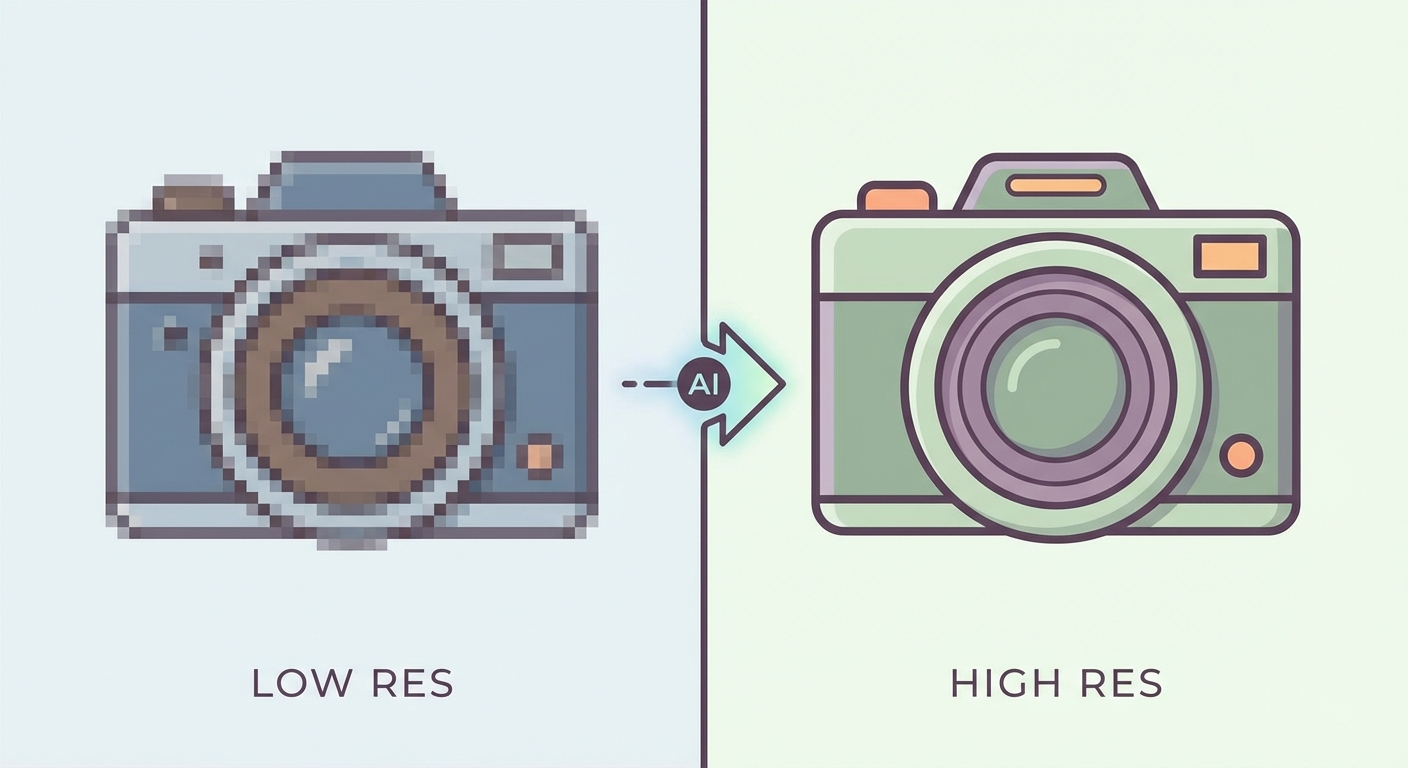
Old upscaling (bicubic or bilinear) just made pixels bigger, resulting in a blocky, soft mess. AI upscaling (like Topaz Video AI) works differently. It looks at a blurry 1080p frame, recognizes "that is a brick wall," and injects the texture of a brick wall into the footage to output a sharp 4K image.
It isn't just stretching the image; it is predicting the detail that the camera sensor missed. It can rescue archival footage, fix slight focus misses, and make HD footage look at home on a 4K timeline.
Visuals are forgiving; the human eye can tolerate a bit of grain or softness. Audio is ruthless. Bad audio will make a viewer click off faster than shaky cam ever will. For a long time, if you recorded an interview next to an AC unit or on a windy street, the footage was trash.
Traditional "De-Noise" plugins work by removing frequencies. If the AC hum sits at 60Hz, you cut 60Hz. The problem? The human voice also has deep resonance at 60Hz. Cut the noise, and your subject sounds thin, tinny, or like they are talking underwater (the dreaded "space monkey" effect).
AI "Voice Isolation" is fundamentally different. It doesn't filter frequencies; it deconstructs the audio.
The neural network knows what a human voice sounds like. It analyzes the waveform, grabs the "voice" data, separates it from the "noise" data, and discards the rest. It then effectively reconstructs the voice. The result is often dry, studio-quality dialogue from a recording made on an iPhone in a crowded bar. It is, without exaggeration, black magic.
We are also seeing the end of the "background music is too loud" complaint. "Auto-ducking" features use AI to listen for speech. The millisecond a subject starts talking, the AI lowers the music track. When they stop, it swells the music back up.
For the final polish, AI mastering tools analyze the genre of your audio. It knows what a podcast should sound like versus a rock song. It applies compression, EQ, and limiting to hit industry-standard loudness targets (LUFS) without you needing to know how to read a loudness radar.
Let's be clear: using AI isn't "lazy." It's efficient. The goal of a creator is to transfer an idea from their brain to the screen with as little friction as possible.
AI eliminates the friction of the "Boring Tasks."
The workflow shift is massive. You aren't fighting the software anymore.
graph TD
    A[Raw Footage] --> B{Workflow Type}
    B -->|Traditional| C[Manual Audio Sync]
    C --> D[Frame-by-Frame Rotoscoping]
    D --> E[Manual Color Grading]
    E --> F[Final Render]
    B -->|AI-Powered| G[Auto-Sync & Transcript Edit]
    G --> H[AI Background Removal]
    H --> I[Prompt-Based Color Grade]
    I --> F
By collapsing the technical repair phase, you buy yourself time. Time to focus on pacing. Time to focus on narrative structure. Time to focus on emotion. The machine handles the pixels; you handle the story.
Before you fire your editor and buy a massive GPU, let's have a reality check. AI is not perfect, and it is not a "make good movie" button.
AI relies on prediction. Sometimes, it predicts wrong. In video, this often looks like "shimmering" edges around a masked subject, or fingers disappearing into a background because the AI thought they were part of the wall. In audio, if you push the isolation too hard, the voice can sound robotic, metallic, or clipped. You still need a human ear and eye to quality check the output.
While these tools save human time, they demand computer power. Running neural engines requires a GPU with significant VRAM (Video RAM). If you are editing on a five-year-old laptop with integrated graphics, enabling "Neural Super Resolution" might crash your system or result in render times that last days. Speed has a price, and that price is usually an NVIDIA RTX card or a high-end Mac Silicon chip.
Just because you can make a subject look 20 years younger, smooth their skin to porcelain, and make them sound like a radio host doesn't mean you should.
Over-processed, "perfect" AI media often triggers the uncanny valley. Audiences crave authenticity. If your video looks too polished, too smooth, and too clean, it can feel soulless and corporate. Use these tools to fix mistakes, not to erase reality. A few wrinkles and a little background noise can actually make a video feel more honest.
AI-powered studio effects are the most significant leap in post-production technology since the move from tape to digital non-linear editing. They are democratizing high-end production values, making it possible for a solo creator in a bedroom to produce content that rivals a broadcast studio.
But remember: they are tools. A hammer doesn't build a house, and a "Magic Mask" doesn't make a movie. The vision, the story, and the cut still belong to you.
The best way to understand this power is to use it. Download a trial of a modern editor, throw in some terrible footage you gave up on years ago, and see what the neural engine can do. You might just find that the "unusable" clip is the best shot you have.
1. Do I need a powerful computer to use AI studio effects? Generally, yes. While some simple tools run in the cloud (browser-based), professional local AI effects in software like DaVinci Resolve or Premiere Pro rely heavily on your GPU. You will want a machine with a dedicated graphics card and at least 8GB of VRAM for smooth performance.
2. Can AI effects fix completely blurry footage? It depends on the severity. AI sharpening and upscaling can work wonders on "soft" focus or low-resolution clips. However, if the footage has severe motion blur or is completely out of focus, AI cannot miraculously recover detail that isn't there without making it look like a bizarre, plastic painting.
3. Is AI audio enhancement better than a professional sound engineer? No. AI is faster and "good enough" for YouTube, social media, and even some documentary work. But a human sound engineer makes creative choices about space, reverb, and tone that AI simply cannot replicate yet. For broadcast TV or film, a human touch is still essential.
4. What is the difference between AI filters and generative AI effects? Think of a filter as a tint—it changes the color of existing pixels. Generative AI creates new pixels. If you ask an AI to expand the background of a shot, it is generating image data that did not exist in the original file.
Social media autopilot uses AI to plan, draft, schedule and publish posts. Learn how the loop works, platform AI rules, and where a human must stay in charge.

Stop churning out generic AI fluff. Learn how to build a full-stack content workflow that scales your unique human expertise and builds reader authority.
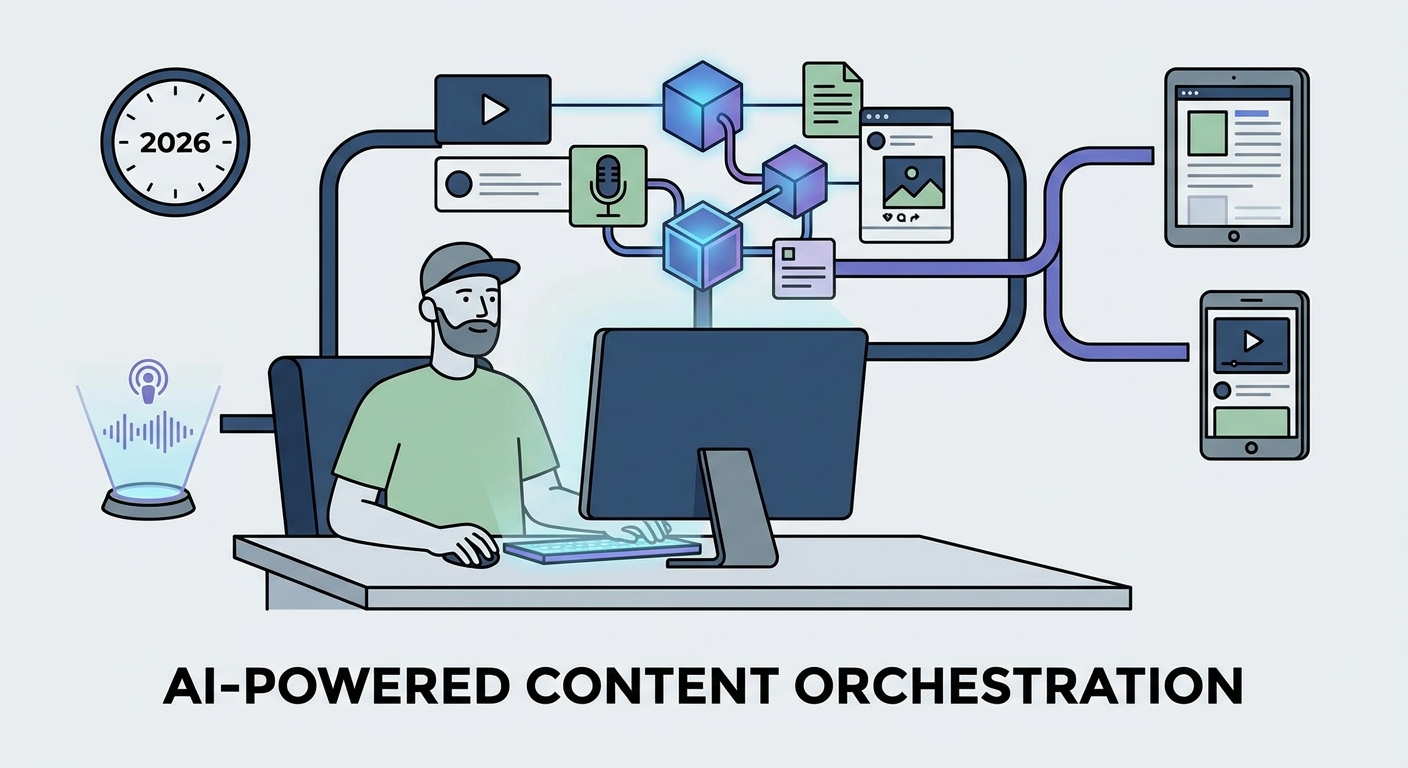
Stop manual drafting. Discover how AI-powered content creation and agentic workflows boost efficiency, scale production, and drive strategic marketing results.
Social9 schedules your posts on 11 networks, and Autopilot can draft them in your brand voice for you to approve. Start on the free plan.
We use strictly necessary cookies to run this site. With your permission, we also use analytics cookies to understand how the site is used. We never use advertising cookies. See our Cookie Policy.