Create Stunning Textures and Resources with AI

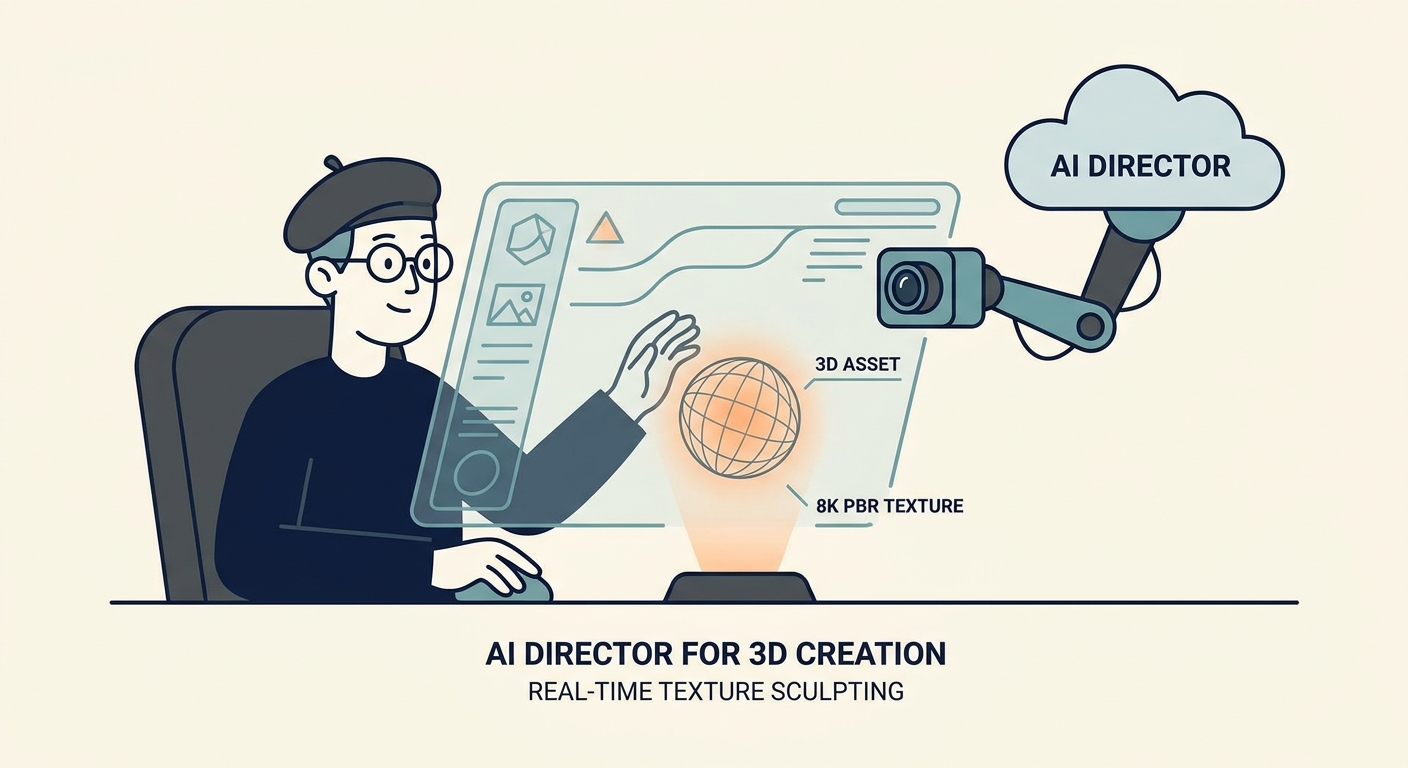
By 2026, the wall between a rough sketch and a production-ready 3D asset has effectively crumbled. Gone are the days of spending your entire afternoon hunting for the perfect texture, scanning surfaces, or fighting with the clone-stamp tool in Photoshop to hide seams. We’ve entered the age of the "AI Director." Your job isn't to be a pixel-pusher anymore; it’s to curate, guide, and refine.
If you use the right pipelines, you can spit out 8K, PBR-ready materials that look just as good in a high-end game engine as they do in your imagination. It’s a total shift in how we handle environment design.
Why You Should Move Your Texture Pipeline to AI
Let’s talk brass tacks. It’s not just about speed—though shrinking a four-hour slog into a four-minute coffee break is a massive win. It’s about consistency. When you tile textures manually, you’re usually destroying the very detail that makes the material look real. AI, however, is a pattern-matching beast. It can analyze the grain and micro-detail of a surface and generate infinite, seamless variations without losing that "lived-in" feel.
For studios and agencies, this is a game-changer for brand identity. By training custom LoRAs (Low-Rank Adaptation models) on your own specific aesthetic—whether you’re obsessed with hyper-realistic concrete or stylized, hand-painted fantasy wood—you ensure every asset in your library feels like it belongs in the same world.
But a word of warning: professional work requires professional habits. Don’t go playing in the "wild west" of unchecked models. When you’re working with enterprise clients, you need provenance. Stick to platforms like Adobe Firefly if you want to avoid legal headaches. Choosing tools that respect copyright isn't just "playing nice"—it’s a defensive business strategy that keeps your clients safe from future lawsuits.
The Anatomy of a Pro AI Texture Workflow
If you want to move beyond making "pretty pictures" and start building functional 3D assets, you need a system. A professional pipeline isn't just a prompt; it’s a multi-stage process that turns text into data a 3D engine can actually digest.
Think of it like this: the generation phase creates your "base." The tiling tool makes it repeatable. The upscaler pushes the resolution until it’s crisp enough for a close-up, and the PBR generator creates the maps (Normal, Displacement, Roughness) that tell light how to behave. If you skip these steps, you aren't building materials; you’re just making flat digital paintings.
Mastering the "Directing" Phase
The biggest rookie mistake? Treating an AI like a slot machine—pulling the lever, hoping for a jackpot, and settling for whatever garbage comes out.
True masters direct. If you need weathered brick, don't just type "weathered brick" and pray. Use image-to-image workflows. Feed the AI a composition guide. Give it a depth map. Force the machine to respect the structural integrity you need.
Consistency is the mark of a pro. Keep your guidance parameters locked when building a project library. If you need a deep dive on how to control these inputs, check out our AI Prompting Guide. Learn to tweak your "seed" and "denoising strength." Iterate until the texture matches your scene’s lighting, rather than taking the first thing the machine spits out.
Your 2026 Toolkit: From Generation to Integration
The market is flooded with tools, but you only need three categories to stay ahead of the curve.
- Generation: You need high-fidelity models that understand physics. Look for tools that let you ingest your own high-res photography. If you can’t feed it your own data, you’re just using the same generic stuff as everyone else.
- Processing: Stop wasting time in Photoshop. Use automated tiling tools that detect patterns and "heal" seams using generative infill. This is how you keep textures consistent across massive environments.
- 3D Integration: This is the final hurdle. You need software that takes your diffuse map and generates the auxiliary maps. Without Normal, Roughness, and Displacement maps, your 3D scene will look flat, plastic, and amateur.
Practical Tutorial: From AI Prompt to 3D Render
Let’s get our hands dirty. You need a weathered concrete floor for an industrial scene. Here is how you do it:
- Generation: Prompt for "Top-down view of weathered industrial concrete, cracked, high-frequency details, neutral lighting." Keep the light flat. You want to add the drama later in your engine, not in the generation phase.
- Tiling: Run the result through a tiling filter.
- Upscaling: Push it to 8K.
- PBR Mapping: Import that into a tool that creates your PBR map set.
- Application: Open Blender and plug your diffuse, normal, and roughness maps into a Principled BSDF shader.
Compare your result to the pros over at Poly Haven. If your texture looks a bit "off" or lacks that professional pop, check your roughness map contrast. That’s usually where the magic—or the failure—happens.
Navigating the Legal Landscape
In 2026, client deliverables must be bulletproof. When you hand over assets, your client is going to ask: "Was this ethically sourced?" You need to answer that without stuttering. Shift your workflow toward platforms that offer commercial-grade indemnification. Provenance is the new currency. If you can't prove where an asset came from, you’re a liability. Pro-tip: Keep your generation logs and model versions in a folder alongside your final exports. It makes you look like the expert you are.
Future-Proofing Your Design Career
The industry is automating. You can either be the one pushing the buttons or the one being pushed out by the people who are. It might seem like a lot to learn, but being able to generate, iterate, and deploy assets at scale is the single most valuable skill a designer can have right now.
If setting up these automated pipelines sounds like a headache you don't have time for, we provide Design Workflow Services to help creative teams build their own high-end asset infrastructures. At the end of the day, the future belongs to the directors, not the drafters.
Frequently Asked Questions
Can I legally use AI-generated textures for commercial projects?
Yes, provided you use tools that offer clear commercial licensing and copyright indemnification. Always check the platform’s Terms of Service to ensure their model training complies with current legal frameworks and that they grant you ownership of the output.
Do I need to be a designer to create professional-quality textures with AI?
While AI lowers the barrier to entry, design intuition remains crucial. You need an eye for lighting, scale, and surface physics to "direct" the AI. The tool creates the pixels, but the designer ensures those pixels look like a cohesive, professional material.
How can I ensure my AI-generated textures are seamless and tileable?
Use dedicated AI-integrated tiling filters that perform "generative healing" across the seams. Avoid simply "cropping" images, as this creates repetitive artifacts. Generating within a "tiling mode" or using post-processing filters that analyze local pattern continuity will yield the best results for large-scale surfaces.
What is the difference between image generation and PBR texture generation?
Image generation creates a 2D visual representation. PBR (Physically Based Rendering) texture generation creates a "material set"—a collection of maps including Normal, Displacement, and Roughness—that tells a 3D engine how light should reflect off, indent into, and interact with the surface of a 3D object.